
You do not need a computer or Android Studio to package a supported HTML project with HTML to APK Builder. The builder performs APK packaging and signing locally. Your project still needs to be something an Android WebView can run.
Prepare your files on the phone
For one page, keep styles and scripts inside the HTML document. If a project has several files, keep them together in a folder or ZIP. A phone file manager can move the files; do not send only index.html when it depends on style.css and app.js.
A project that requires npm, TypeScript compilation or a development server must first be exported as browser-ready files. The builder packages web output; it does not run a Node/PHP server or compile every web framework from source.
Choose the shortest workflow
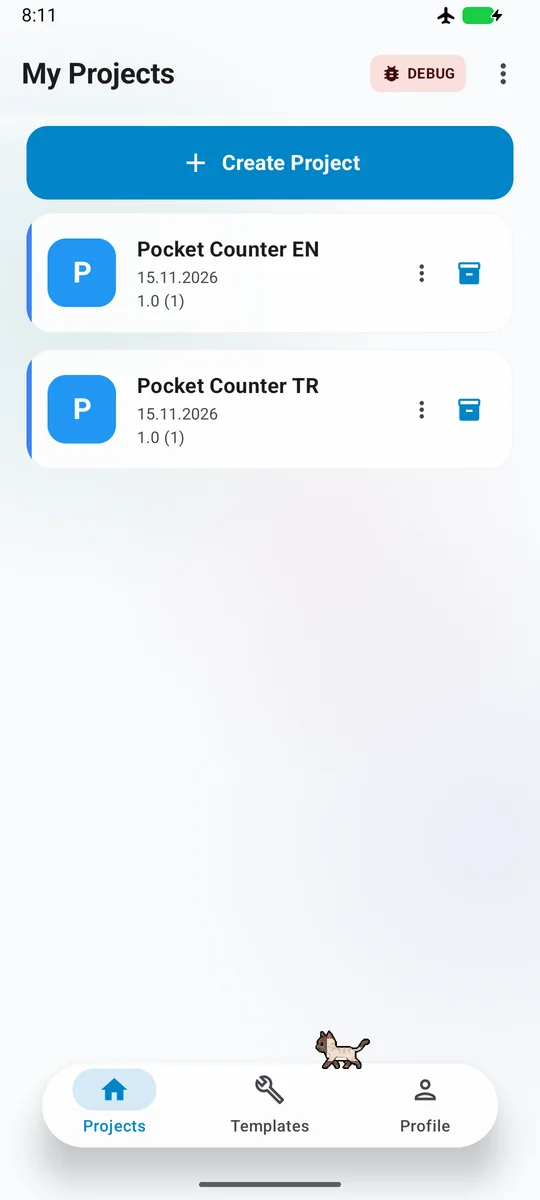
- Open Projects → Create Project.
- Choose Quick Build for pasted HTML, one HTML file, a URL or a PDF.
- Choose Advanced Build for an extracted ZIP folder or detailed settings.
- Preview the page, then build and install the APK.
Follow the complete paste-to-APK tutorial for the exact example. Use the full HTML editor when you need search, undo/redo or code changes.
Leave room for building
The source files, temporary work and completed package all occupy storage. A project can need more space during building than its final APK size. Close unnecessary apps on a low-memory phone and start with a small example when diagnosing failures.
Keep original source files outside the builder as a backup. The free plan stores up to five projects per type; removing a project to make room is a separate action from uninstalling an app you already built.
Work without internet where appropriate
A local project with bundled resources can be packaged on the device. The counter example has no network dependencies. A live URL, an online font, a remote API, AI generation or a purchase verification can still require a connection. Test your final APK with network access off rather than relying on the word “offline”.
Share and update carefully
Use the output screen to share the APK. The recipient may need Android’s install-from-this-source permission. Keep the same package name, retain the signing key and increase the version code for an update. Pro supports keystore import/export and AAB creation.
AAB output prepares an artifact for a store workflow; it does not create a Play Console account or guarantee acceptance. You can read the guides and download the builder entirely from your phone: Google Play.
See also: manage projects, backups and Android Studio export and templates.