
HTML to APK Builder can create an Android App Bundle (.aab) on the phone through Advanced Build. AAB export requires Pro. Quick Build produces an APK instead.
APK or AAB?
| Format | Use |
|---|---|
| APK | Install on a device and share for direct testing. |
| AAB | Upload to a compatible store workflow, such as Google Play, which creates device-specific APKs. |
An AAB is not directly installed like an APK. Do not rename .aab to .apk.
Before you build
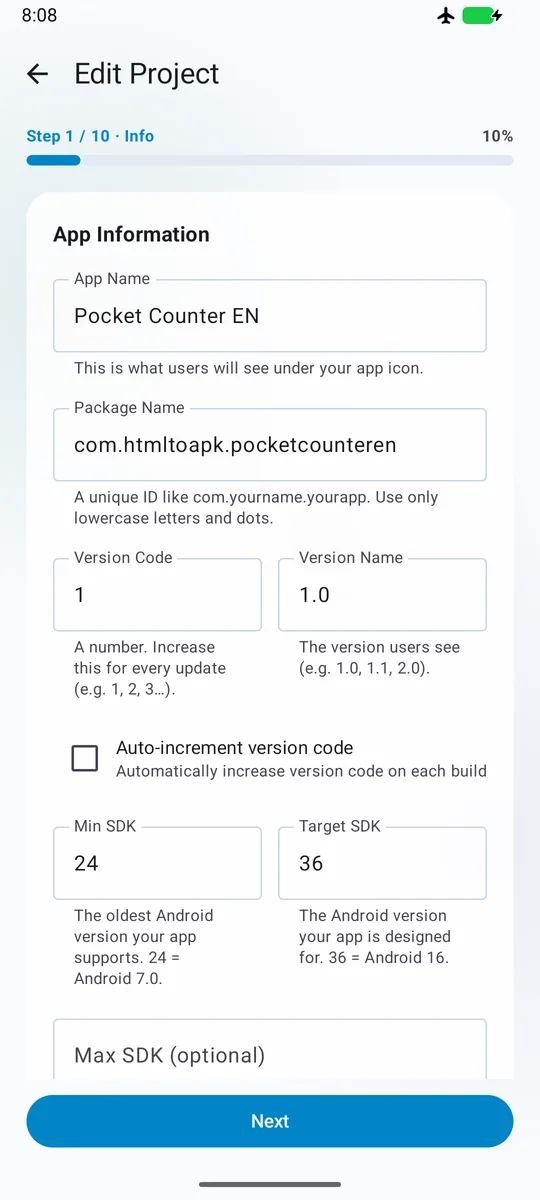
Test the same web content as an APK first. Choose your final package name and keep your signing-key backup. A new upload to an existing Play listing must match its package identity and signing configuration; its version code must be higher than previous releases.
The builder’s ability to create an AAB does not mean Google Play will accept the app. Store account, testing, policy, content, permissions and technical requirements are separate and can change. Check Google Play’s official release documentation for current requirements.
Generate your bundle
- Open Create Project → Advanced Build, or edit an existing app project.
- Configure Info, Content, appearance and only necessary permissions.
- Review the signing-key selection on Output. Import/export of custom keystores requires Pro.
- Select AAB, then tap Build AAB.
- After success, share or save the
.aaboutput. Keep it with the corresponding source and key backup.
Test before a public release
Use a Play Console testing track or bundletool to test the APKs derived from the bundle. Check launch, offline resources, permissions and any advertising flow. Store processing can expose problems that are not visible in a basic preview.
Do not publish real AdMob traffic while testing: use test ads and verify your privacy/consent setup. If your app is merely a thin website wrapper, review the store’s current content and functionality policies before submitting.
Common upload problems
Package mismatch: set the package identifier to the existing Play app’s identifier rather than relying on a generated one.
Version code already used: increment the numeric version code; changing only the visible version name is insufficient.
Signing-key mismatch: use the correct upload/signing arrangement. Generating a new unrelated key does not preserve update compatibility.
Unsupported requirements: read the exact Play Console error. Do not assume rebuilding the same bundle changes its target SDK or policy declarations.
Download the builder and see signing and updates.